Adding New User
This guide walks you through the steps to add a new user to the Witty realm in Keycloak.
We do not use the master realm for user management.
Adding User
-
Navigate to Users → Add User
-
Fill in the following fields:
- Username
- First Name
- Last Name

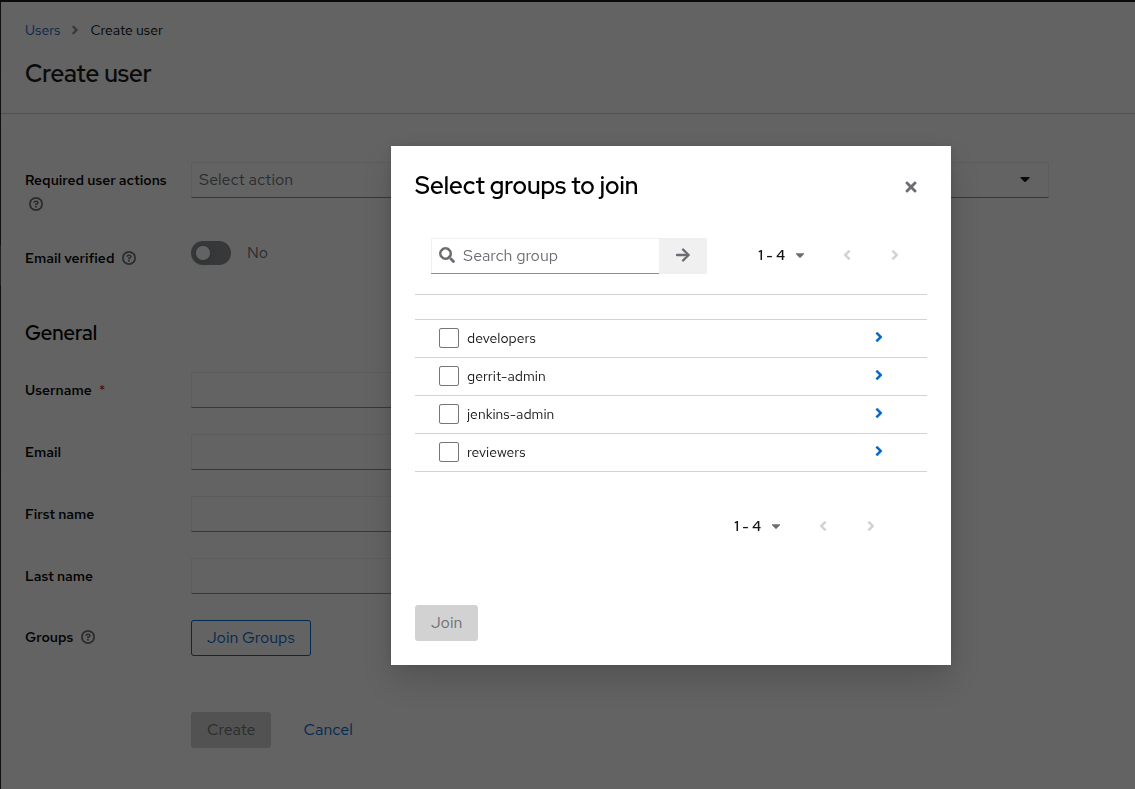
Adding Group(s)
-
Click the Join Groups button
-
Select appropriate groups based on team or role
-
Click Create
Setting the Password
-
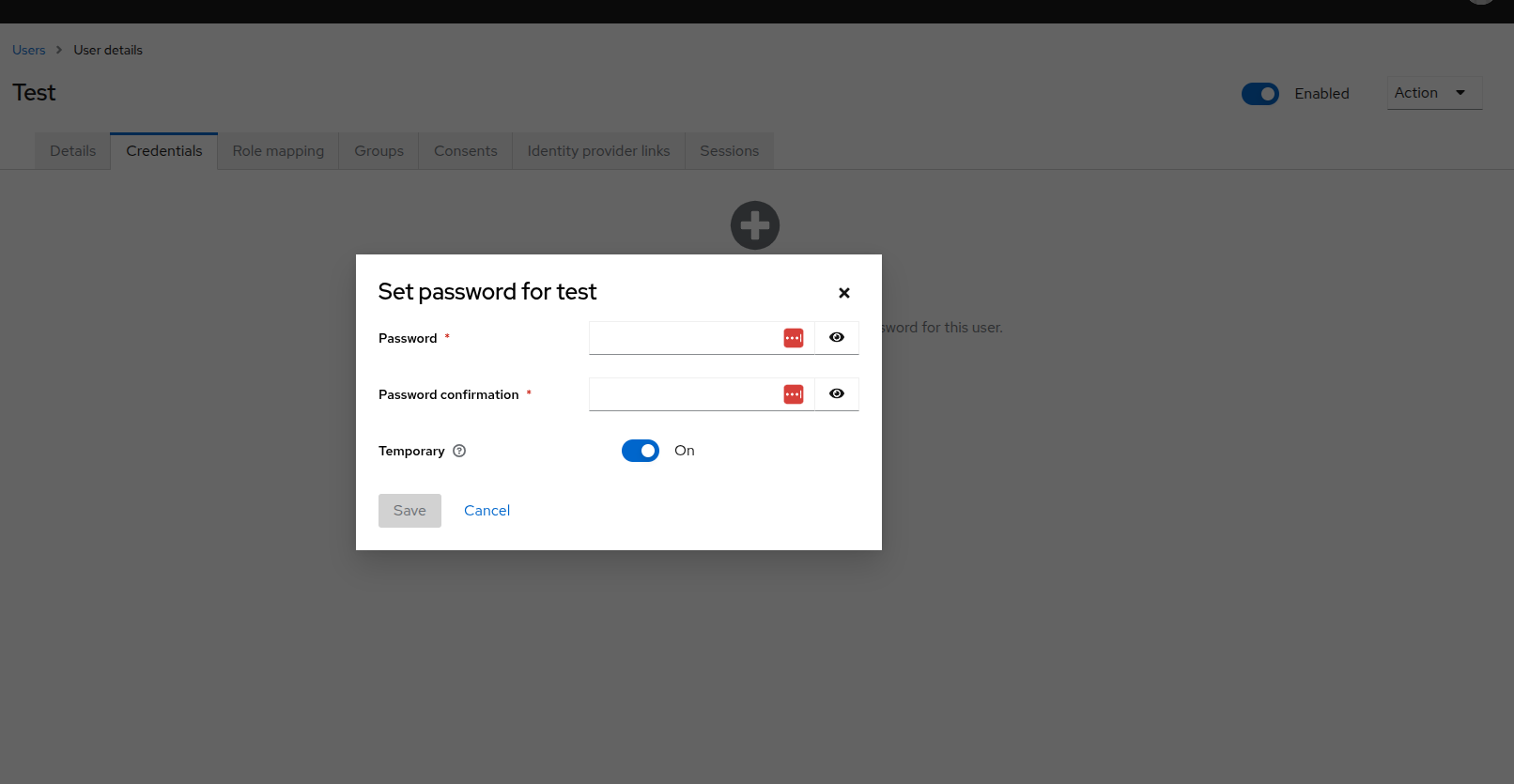
After saving, go to the Credentials tab
-
Set an initial password:
- Type in the password
- Turn off the "Temporary" toggle if you don’t want to force a reset(best bet to leave it on)
- Click Set Password
The user created can then go ahead to access gerrit and other infra services by witty